If you want to grow your brand and reach the right audience, you need to learn how to optimize your Facebook page. Many businesses create a page but fail to use it effectively. In this guide, we’ll show you actionable strategies to make your Facebook page professional, engaging, and optimized for both users and search engines.
Why Facebook Marketing Matters
Facebook remains one of the most powerful social media platforms for businesses. But the challenge is that content often reaches only 2–6% of your followers. This is why it’s critical to learn how to optimize your Facebook page properly. A well-optimized page increases visibility, builds a community, and drives engagement.
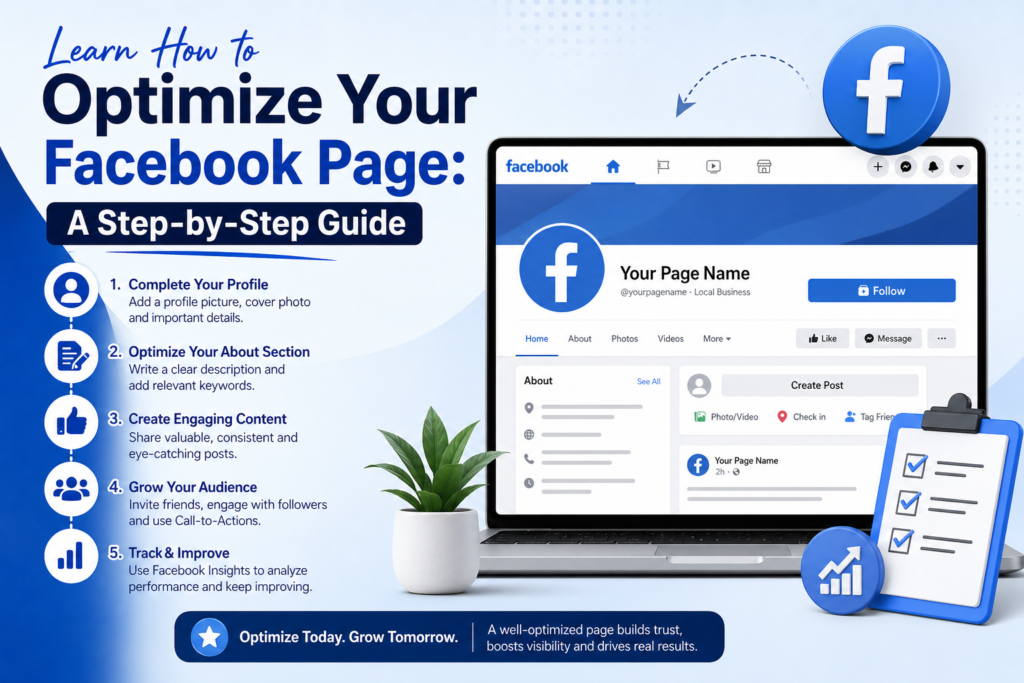
Facebook Profile vs Facebook Page
Before we dive into optimization, it’s important to understand the difference between a Facebook profile and a Facebook page:
- Facebook Profile: Personal, used to connect with friends and family. Only one per person.
- Facebook Page: Designed for businesses, brands, and public figures. Can have multiple admins and allows followers to engage without being “friends.”
To leverage Facebook for marketing, always focus on your page. Learning how to optimize your Facebook page starts here.
Step 1: Set Up Your Profile Picture and Cover
Your logo or personal image is the first impression for visitors.
- Use a logo for brands or a professional personal photo for personal brands.
- Your cover photo is your billboard—it should clearly show who you are and what you offer.
- Keep the main focus in the center to ensure visibility on mobile, as over 80% of Facebook users access it via phone.
Tip: Use tools like Canva to create a professional cover photo, or hire a designer on platforms like Fiverr for as low as $5–$10.
Step 2: Complete Your Page Info
Once your images are set, fill in your page details:
- Add a clear description explaining what your page is about.
- Include your website link, contact info, and location (even if digital).
- Set a call-to-action (CTA) button, such as “Contact Us” or “Learn More.”
- Link to your Privacy Policy if you’re collecting data or using pixels.
Completing all fields is a key part of learning how to optimize your Facebook page effectively.
Step 3: Build a Facebook Group
A group is where your most dedicated audience can engage without algorithm limitations.
- Create a private, visible group to attract serious followers.
- Set rules to maintain a positive and focused environment.
- Use Canva to create a custom group cover.
Your group becomes a hub for community engagement, increasing your page’s overall visibility.
Step 4: Content Strategies for Your Page
Posting valuable content consistently is crucial. Here are 10 proven strategies:
- This or That Posts: Ask followers to choose between options.
- Testimonials: Share customer success stories.
- Statistics: Highlight interesting data relevant to your audience.
- FAQs: Answer frequently asked questions in video or post form.
- User-Generated Content: Repost content from followers or relevant creators.
- Trend Updates: Share industry news with your insights.
- Tutorials: Show step-by-step guides.
- Values: Share your brand values to connect emotionally.
- Memes: Use humor to engage followers.
- “Is This You?” Posts: Create relatable content that encourages shares.
Using these methods consistently will help you learn how to optimize your Facebook page for both reach and engagement.
Step 5: Boost Your Reach
Even an optimized page won’t help if no one sees your content. Use these strategies:
- Native content: Post content that keeps users on Facebook.
- Improve engagement: Encourage reactions, comments, and shares.
- Engage as your page: Comment and interact with others as your business.
- Shareable content: Speak to your audience’s identity and interests.
- Quality over quantity: Focus on value-driven posts rather than volume.
- Reels: Short video content reaches non-followers and boosts visibility.
Conclusion
Learning how to optimize your Facebook page is not just about visuals—it’s about creating a complete, engaging, and valuable experience for your audience. By following these steps—setting up your visuals, filling out page info, building a group, posting strategically, and boosting reach—you’ll transform your Facebook presence into a marketing powerhouse.
Start implementing these steps today and watch your Facebook page grow in engagement, reach, and community.